
Printer dimensions.
Room for the whole setup.
Measure the exact model, then check its height, width, depth and working space. Start with the manufacturer reference below or enter your own measurements.
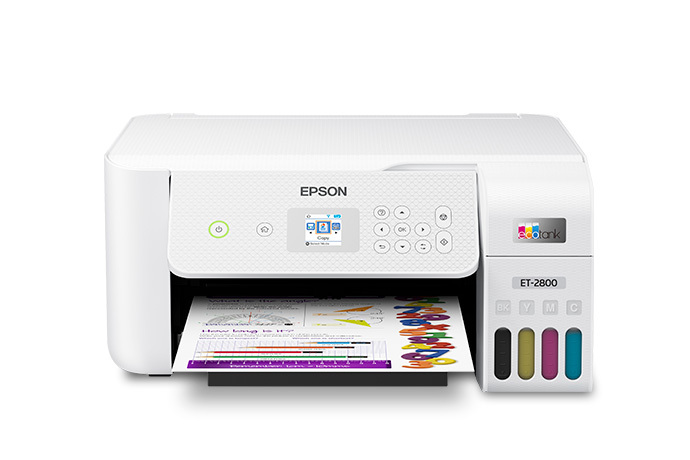
Epson EcoTank ET-2800 / ET-2803
ET-2800 shown with the output tray open; closed and printing dimensions differ.
Use this model’s dimensions below, or enter the measurements of your own appliance.
Product photo: Epson ↗Check all three dimensions.
Compare a measured item with your available space. Add the total extra room required on each axis from the exact manual or your own working-space plan.
Enter the available width, height and depth to compare.
With extra-room fields blank, this checks the body envelope only. Door swing, ventilation, connections, safe operating clearances and delivery turns require separate checks.
Epson EcoTank ET-2800 / ET-2803
US specification · Checked
One documented example for measuring this category. Match the exact model code and regional configuration; these measurements do not apply to every printer.
What each measurement includes
Stored, trays closed. The rows below keep the source units and separate published configurations.
| Configuration | Width | Height | Depth |
|---|---|---|---|
| Stored, trays closed | 375 mm | 179 mm | 347 mm |
| Printing configuration | 375 mm | 253 mm | 578 mm |
The manufacturer page or specification sheet is the measurement source. Read the exact installation or assembly manual linked there before committing to a layout.
Measure before you decide.
- Use the printing configuration when measuring a working desk or shelf.
- The manufacturer’s stored size has trays closed; printing depth is 578 mm and height is 253 mm.
- Leave access to load paper, refill tanks and open the scanner; those actions need their own space.
Use the smallest usable opening after trim, skirting and fixed obstructions. Keep a record of your item dimensions, working configuration, extra room and delivery route.
Questions about the fit
Does a positive fit result confirm the installation?
It confirms only the rectangular dimensions and extra room you entered. Door movement, airflow, utilities, support, weight capacity and the delivery route need their own checks. Use the exact manual for the model and configuration.
Can I check a different model?
Yes. Choose “My own measurements” or edit the item fields. Enter full external width, height and depth from that model’s manufacturer drawing, with your intended handles, attachments or furniture configuration included.
How do I check the delivery route?
Use packaging or disassembled delivery dimensions, then measure every door and passage. Check a straight opening as one step; the tool cannot prove a turn on a staircase or around a corner.
Find these models on Amazon.com
As an Amazon Associate I earn from qualifying purchases. Read our disclosure.
These links search Amazon.com for the named model. Match the exact model, regional version and product configuration before buying. Search results may include accessories or other models; the reference model may be unavailable. Availability and prices are shown by Amazon.